Aspirational Ani
The Ugly Duckling
Every project has to start somewhere. For Phoebe, that somewhere is a $20 pile of Adafruit parts stuffed into a waterproof battery box and shoved into a raised bed.
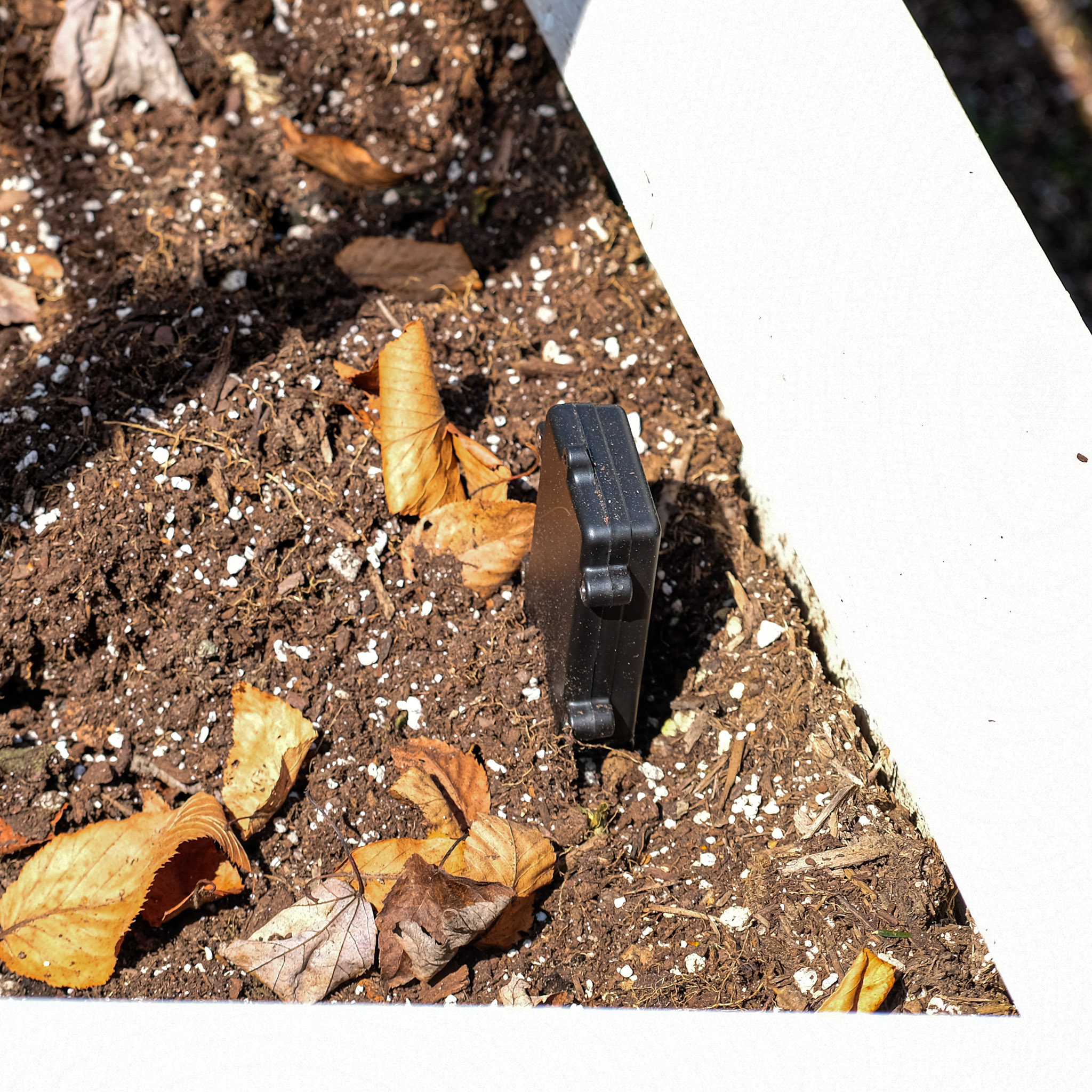
The parts
The whole thing is off-the-shelf from Adafruit. No custom PCBs, no soldering (okay, a little soldering), no dignity.
- Adafruit QT Py ESP32-S3 — The brain. A tiny dev board with WiFi, a STEMMA QT connector, and enough power to read sensors and phone home before going back to sleep. $9.95.
- Adafruit STEMMA Soil Sensor — Capacitive moisture sensing plus temperature, over I2C. You plug it in with a little cable and it just works. $7.50.
- 3xAA Waterproof Battery Holder — The “enclosure.” It holds three AA batteries and the QT Py itself. I “modded” it by jabbing a screwdriver through the side until the hole was big enough to pass the STEMMA QT connector through, then hot-glued everything together in the sloppiest way possible. It is not, by any stretch of the imagination, a bird. $2.95.
Total BOM: roughly $20 and change, plus whatever batteries you have lying around. The STEMMA QT ecosystem is genuinely great here. Plug in a cable, import a library, read a sensor. I went from “I wonder what my soil temperature is” to “I have a working wireless sensor” in about an hour.
The codename
Obviously the most critical engineering decision of the entire project was the naming convention. I landed on alliterative bird names organized by device family. A-series for sensors, B-series for base stations, C-series for whatever comes next. Each prototype gets an adjective and a bird.
The first prototype is Aspirational Ani. Aspirational because it has ambitions well beyond its current capabilities. Ani because… I needed a bird that starts with A and the ani has a great vibe.
Future prototypes on the roadmap include Alert Auk (full sensor breakout validation), Audacious Avocet (consumer hardware on a Feather), and Assured Accentor (first custom PCB). We’ll get there.
What it does
Ani wakes up every 6 hours, connects to WiFi, reads the soil temperature and moisture, publishes the data over MQTT to a little IoT gateway I built, and goes back to deep sleep. That’s it. That’s the whole thing.
The gateway is a Docker container running on a Raspberry Pi that records everything to SQLite and serves up a dashboard. Nothing fancy, but it works, and I can see what’s happening in my cold frame bed from my phone.
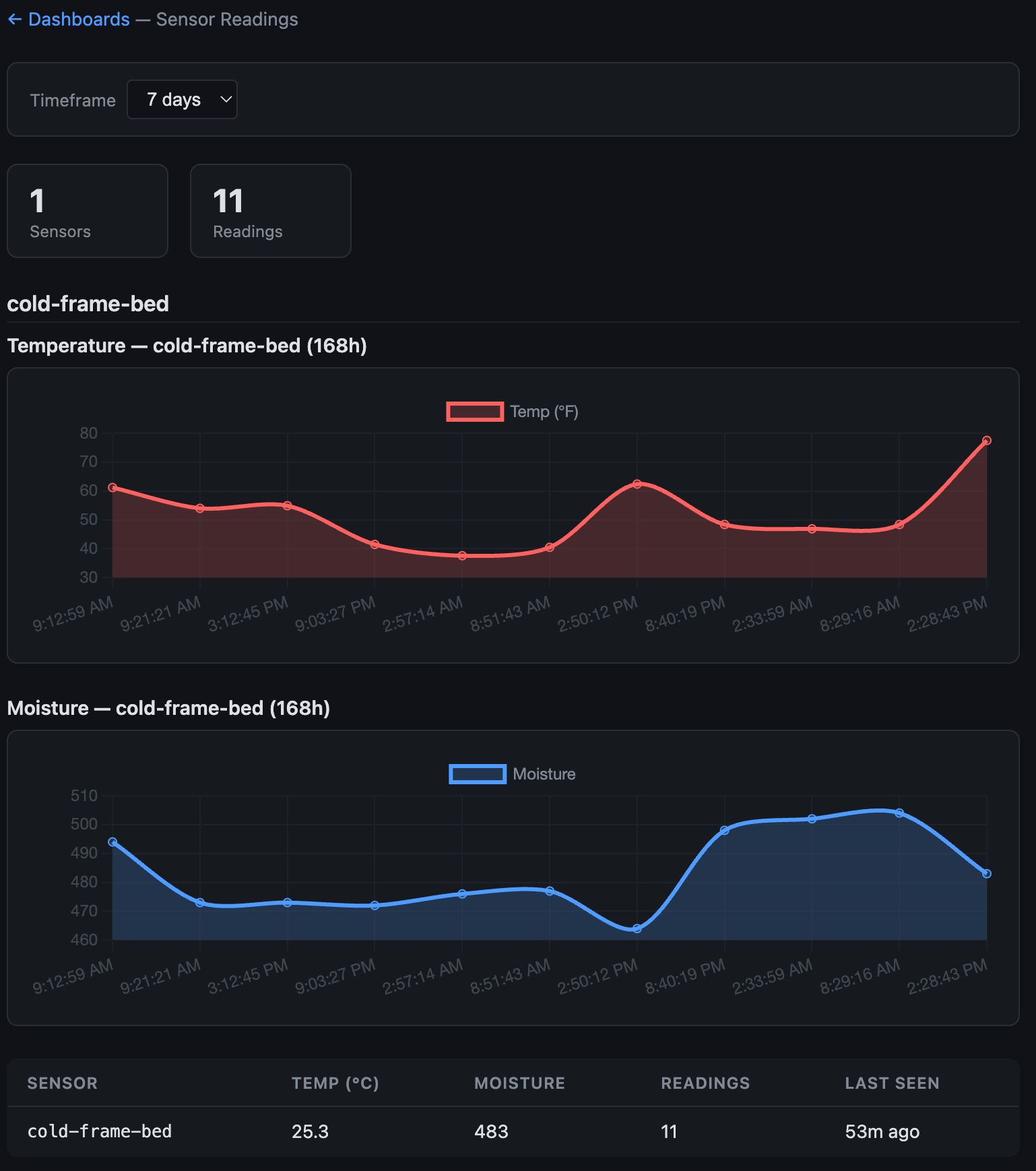
The temperature chart shows the diurnal swing you’d expect. Cold at night, warm during the day, trending warmer as spring gets going. The moisture data is more interesting. You can see exactly when it rained and how fast the soil dries out afterward. This is the kind of data Phoebe will eventually use to learn your plant’s watering rhythm.
What it doesn’t do (yet)
Ani reads two sensors. The full Phoebe sensor suite will have five: soil moisture, temperature, light (BH1750), VOCs (SGP40), and acoustic stress (MEMS mic). Ani doesn’t talk to Firebase yet, it has no AI layer, and it definitely doesn’t look like a bird.
But it proves the core loop works. A cheap microcontroller can wake up, read a sensor, send data over WiFi, and go back to sleep. Everything else is iteration.
The app (AKA joys of cloud computing)
With data flowing from the sensor, the next step was giving Phoebe somewhere to live on your phone. I built the app in Flutter, which is Google’s cross-platform framework that approximately seven people use voluntarily. I am one of those people. I will not be taking questions about why I didn’t just use React Native or SwiftUI. Dart is a perfectly fine language and I will die on this hill.
The real glamour of software development, though, is that I spent maybe 20% of my time building the actual app and 80% of my time fighting GCP IAM permissions, Firestore security rules, and Firebase Auth configuration. At one point I spent a perfectly sunny afternoon watching Log Explorer refresh and show the same CORS error over and over instead of having a life. Peak engineering.
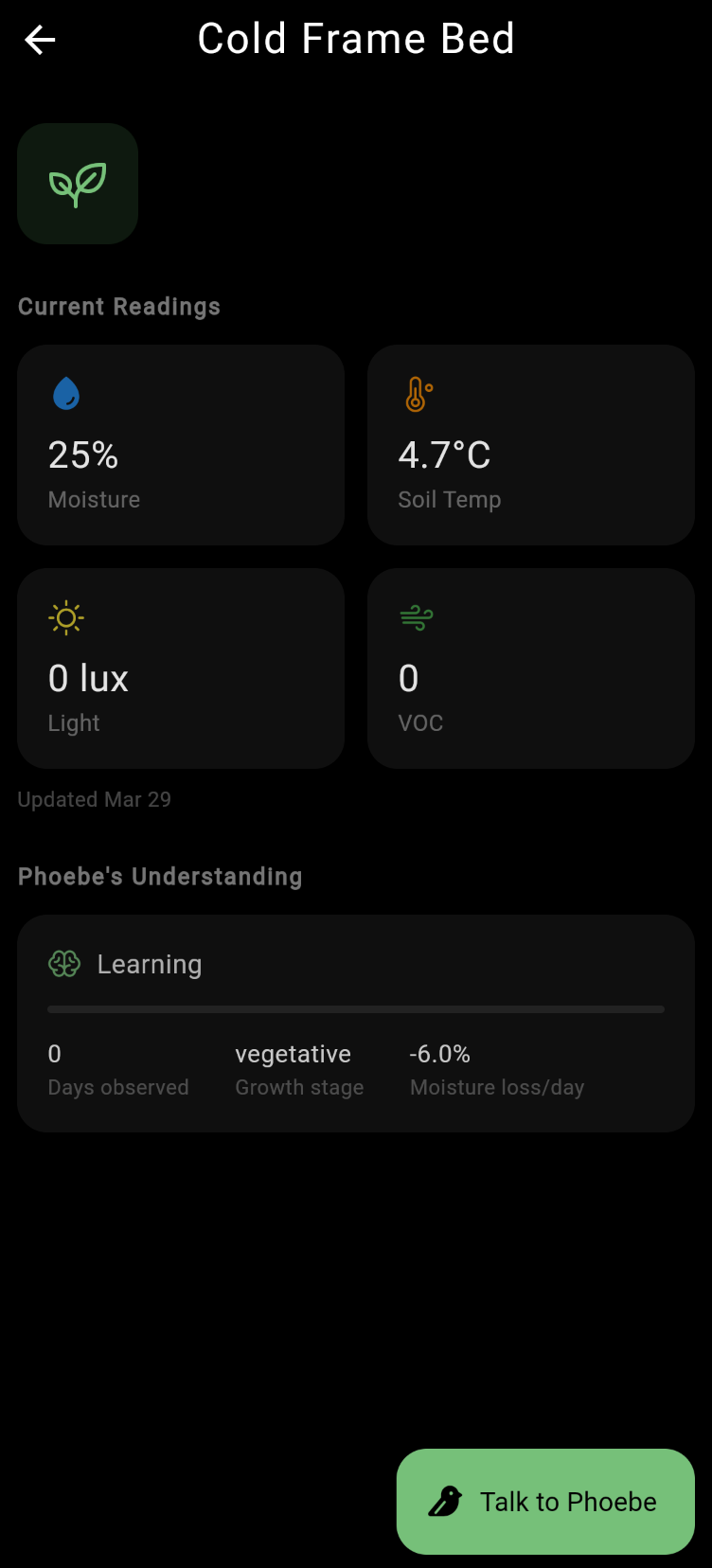
But once the plumbing was working, things came together fast. The app connects to Firebase, pulls sensor readings, displays the plant’s current state, and lets you talk to Phoebe.
The best part is the chat. Phoebe gets the sensor data and her world model as context, so when you say hello, she actually knows what’s going on with your plant. She’s not making things up. She’s reading the sensors and forming opinions.
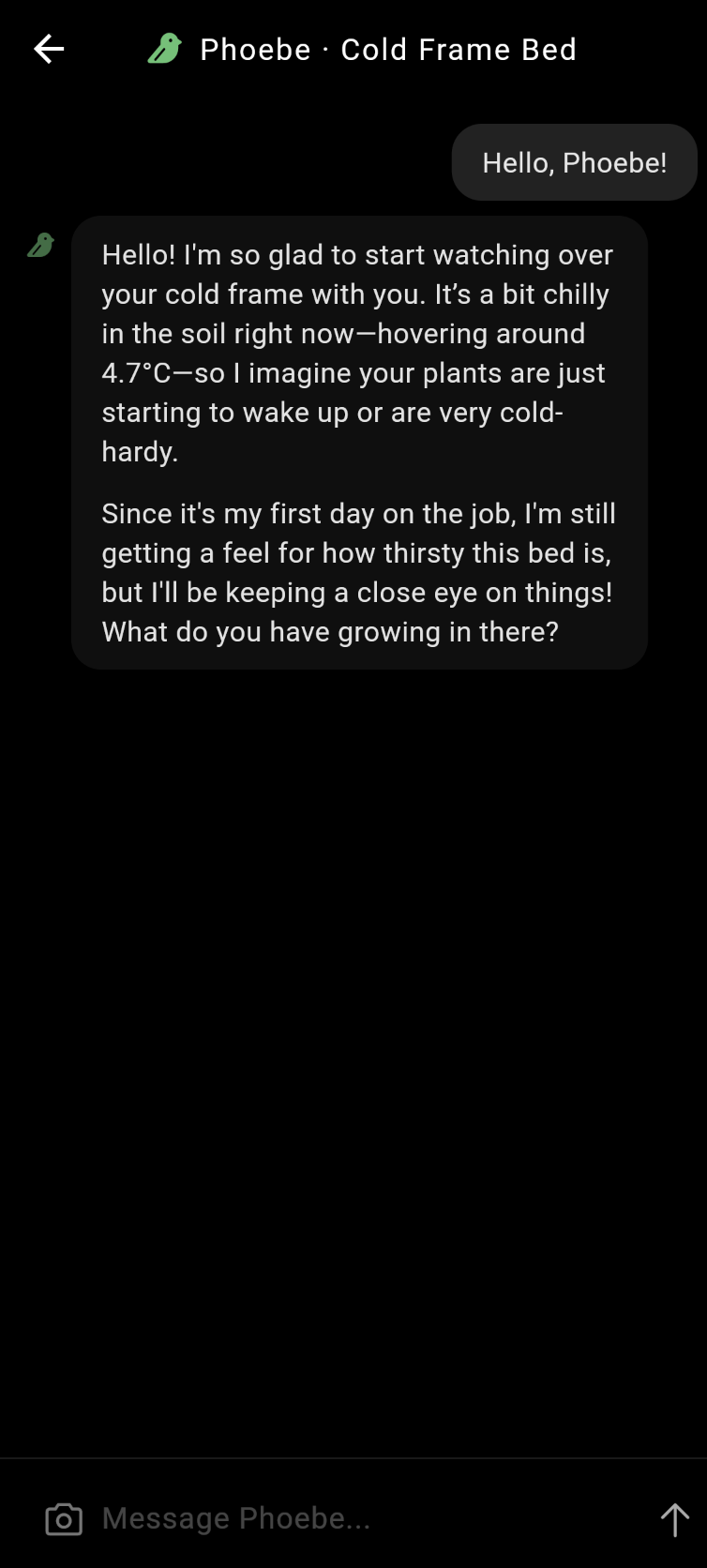
“Since it’s my first day on the job, I’m still getting a feel for how thirsty this bed is.” The fact that this works at all still feels a little like magic.
Then I asked whether it was too early to transplant some seedlings I’d started indoors.
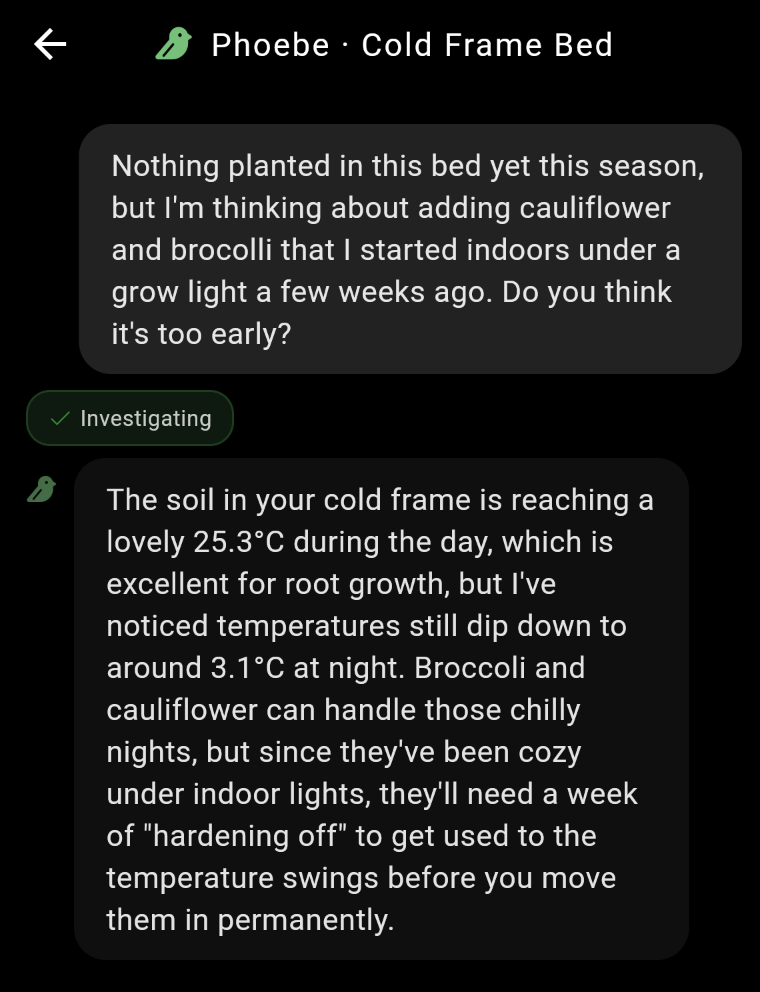
She checked the sensor, noticed the nighttime temps still dip to 3 degrees, and told me to harden them off first. Twenty dollars in parts and I’ve got a gardening advisor that reads the soil before giving opinions. Better than most gardening forums, honestly.
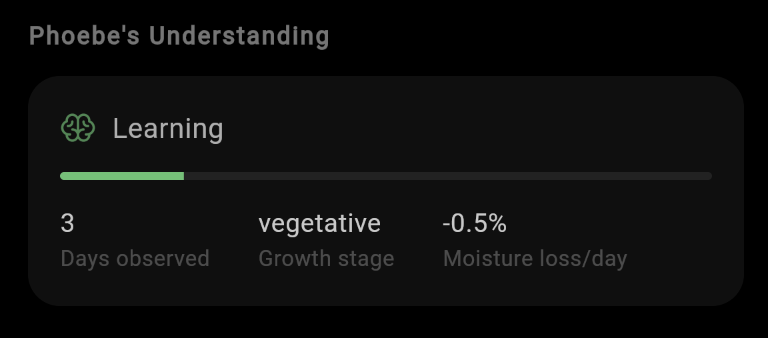
And the world model is starting to take shape. Three days in and Phoebe has already figured out the growth stage, is tracking moisture loss per day, and is generally doing her best with very limited data.
What’s next
More sensors. Alert Auk (the next prototype) adds light, VOC, and acoustic sensing. The data pipeline needs to move from my local MQTT setup to Firebase. And Phoebe’s world model needs a lot more tuning. She’s enthusiastic but she’s working with 11 data points. Bold conclusions from limited evidence. Very data science of her.
— Ben